

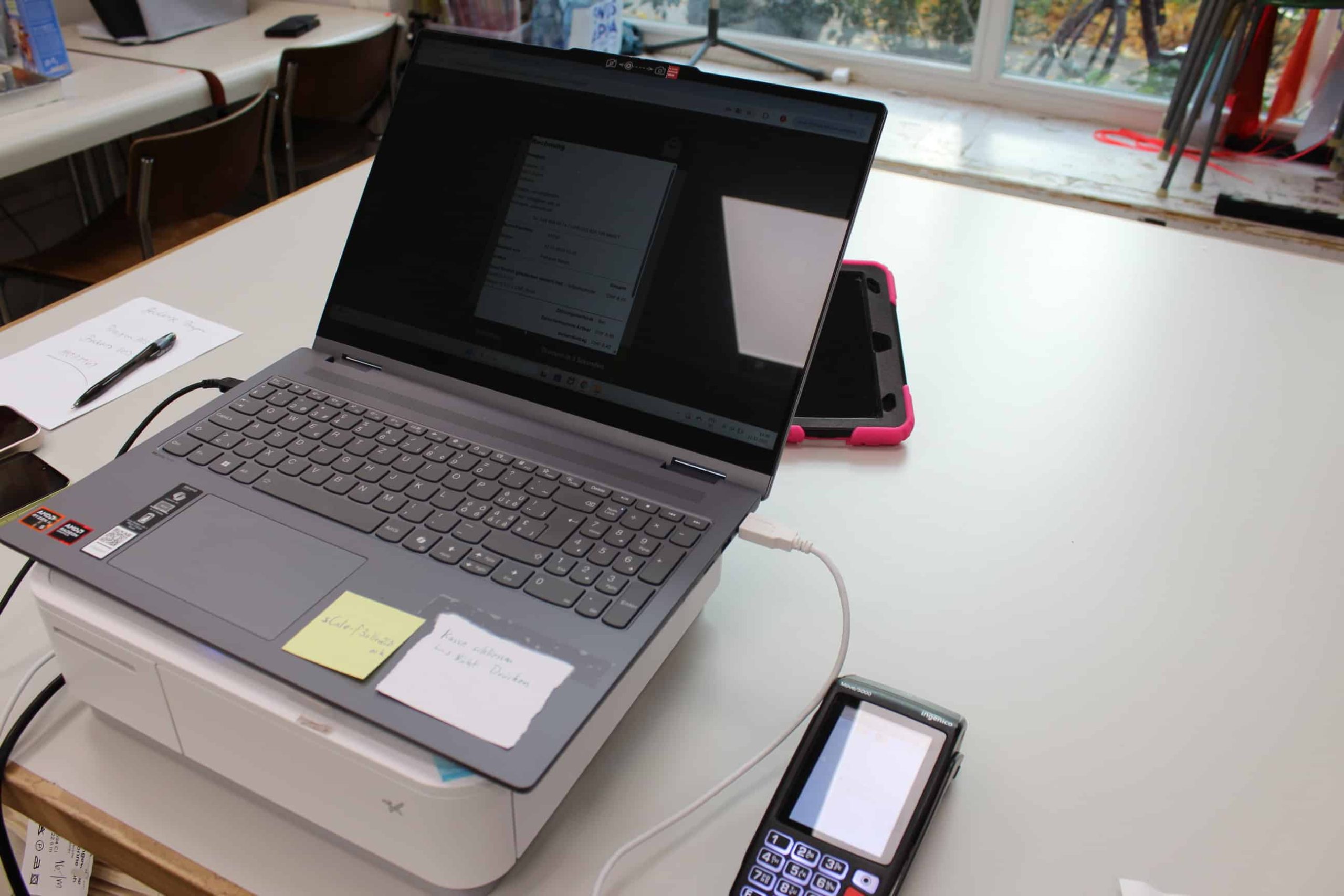
Many retailers start with WooCommerce in online trading – and at the latest when it comes to stationary sales, at trade fairs or in pop-up stores, they face the same question:
How does WooCommerce become a real cash register?
Because actually, it only makes sense to bring the functionalities and inventory management of the online shop into the “real,” analog world of retail.
Because actually, it is only logical to bring the functionalities and inventory management of the online shop into the “real,” analog world of retail.
Simply using the online shop as a POS system “just like that” is therefore not possible. Many partly free plugins also do not solve the problem.
Nevertheless – and here comes the good news: With the right concept, it is not so difficult to use WooCommerce as a POS system as well. And for you as a retailer, this means: You can unlock enormous efficiency reserves through the intelligent integration of online shop and physical store: One system for inventory management. One system for billing. Genuine omnichannel approaches. And in addition: Much less unnecessary IT in your business, without middleware.
And legally and practically secure in Germany, Austria, and Switzerland.
How does that work? We explain it to you in this article.
WooCommerce as a POS system – what retailers really need
WooCommerce is a shop system by default. Many millions of online shops in Germany, Austria, and Switzerland are currently running on WooCommerce – providing their operators with stable and secure revenues.
With the right extension, WooCommerce can also be much more: WooCommerce can be the central goods and order platform for all channels – including physical stores, pop-up stores, events, etc.
WooCommerce can therefore also serve as a unified customer base for retailers. And last but not least: As a POS system for in-store sales.
These extensions from WooCommerce are not intended “out of the box.” What matters is how cleanly the shop, checkout, and processes are integrated.
Typical requirements for cash register systems in the DACH region (DE, AT, CH)
But if we take a look at the requirements for cash register systems in the German-speaking region, we quickly see: A cash register must meet many legal requirements. Even though the legal details differ, the basic requirements for cash register systems in Germany, Austria, and Switzerland are very similar:
Joint practice requirements
- Traceable cash transactions: Every booking is clearly documented and can be checked at any time to ensure transparency and trust.
- Clean receipt creation (digital or printed): For every purchase, a legally compliant receipt is created that contains all legally required information and is handed over to the customer.
- Complete recording of all sales: The system ensures that every single sales transaction is recorded and posted, which is essential for accurate accounting.
- Clear separation of cancellation, return, and closing processes: Different procedures such as cancellations, returns, or end-of-day closing are clearly distinguished from each other and processed separately.
- Audit-proof data storage: All relevant data is stored tamper-proof and for the legally prescribed period to meet the requirements of the tax authorities.
Country differences in cash register systems
In Germany, cash register systems must meet the strict requirements of the KassenSichV and support a Technical Security Device (TSE) as well as the data export interface DSFinV-K. In Austria, the regulations of the Registrierkassensicherheitsverordnung (RKSV) apply, which among other things require a signature creation unit. Switzerland does not have a central cash register regulation but places high demands on traceability and proper accounting.
Ultimately, what matters to you as a retailer is: A WooCommerce cash register system must meet these requirements – but above all, it must also be easy to use and “enable” the business.
The core problem of classic WooCommerce checkout setups
When it comes to integrating online shops (such as WooCommerce) and physical stores or sales at the POS, many retailers solve this issue with additional hardware or separate cash register software.
This works – but always requires a complex synchronization between the cash register and WooCommerce via a so-called middleware.
This often leads to:
- double data maintenance
- Inventory deviations
- higher training effort
- unnecessary license and maintenance costs
In short: For you as a retailer, this setup means more IT, but not more control.
The integrated approach: WooCommerce checkout system with StoreConnect
To solve this problem, we at HighPots have developed our tool “StoreConnect.” HighPots StoreConnect uniquely connects WooCommerce and brick-and-mortar stores.
This means quite specifically:
- The cash register function is legally securely integrated directly into WooCommerce
- You do not need a separate POS system or additional middleware.
Only a cash drawer and/or payment terminals (or payment modules via smartphone) still need to be connected.
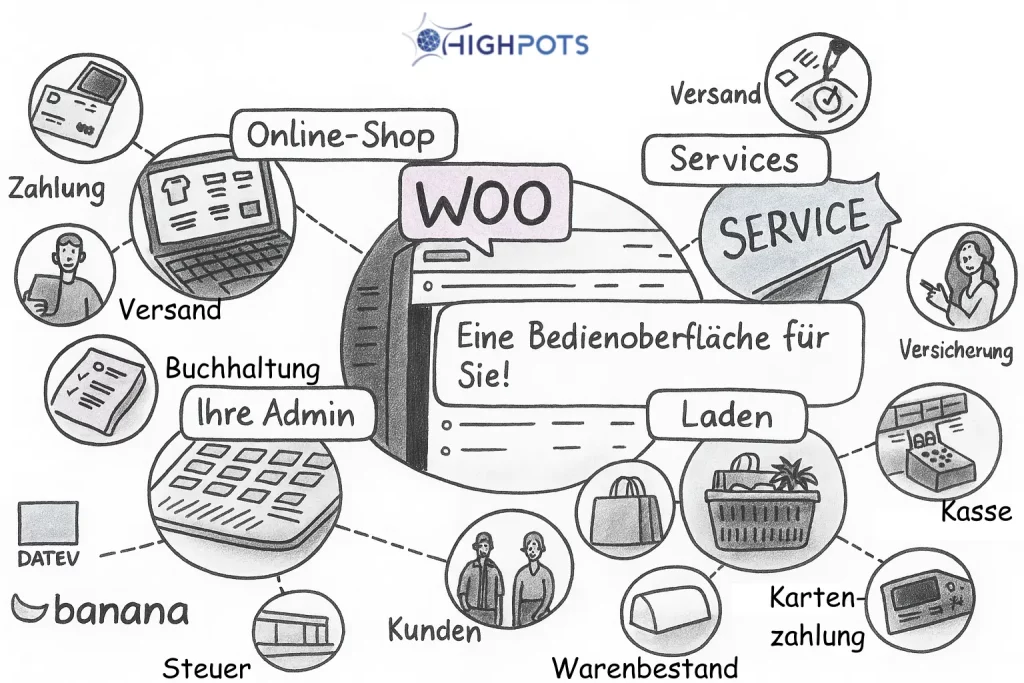
Through this approach by StoreConnect, WooCommerce thus becomes the central platform for:
- Online sales
- stationary sales
- Product & price logic
- Inventory levels
- Customer stories
- Including cash register system.
StoreConnect thereby specifically extends WooCommerce with the necessary POS logic – not just a cash register system, but for all omnichannel functions, such as shared accounting, online/offline management of vouchers, course booking, etc.
WooCommerce POS system with StoreConnect: Massive IT reduction for retailers
As you have seen, StoreConnect is therefore a “common operating system” for online shop and physical store. And that specifically means:
With StoreConnect, retailers significantly save on IT.
What is actually still needed
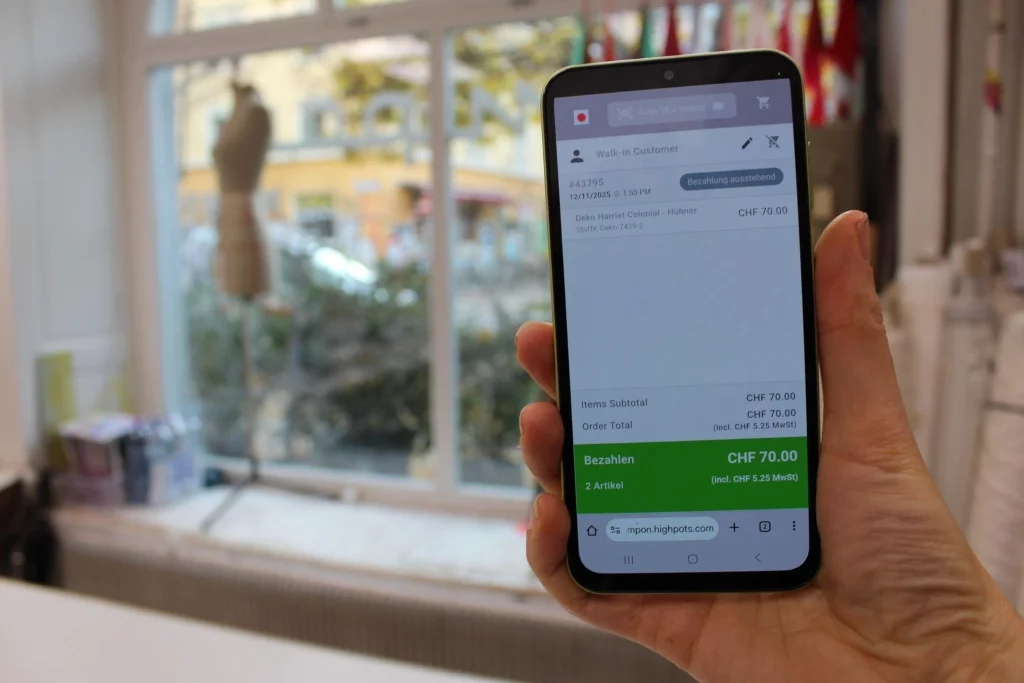
In practice, it is sufficient:
- a terminal (PC, laptop, or tablet) for consulting and administration in the retail store
- a cash drawer (optional)
- a payment terminal (debit/credit card) or a smartphone with payment function
This hardware is connected – the complete cash register logic runs within the WooCommerce system itself (and the accounting as well, with connections to your preferred accounting systems such as Banana or DATEV).
- No additional cash register software needed
- No separate backend
- No double administration
The specific benefits for retailers:
With these advantages, StoreConnect offers clear benefits for you as a retailer as a WooCommerce point of sale system:
Less costs
- no POS licenses
- fewer maintenance contracts
- lower hardware investments
Less complexity
- a surface
- a system
- clear processes
Better overview
- a stock inventory
- an order history
- a customer profile – online & offline
Especially for small and medium-sized retailers, branch operations, pop-up stores & trade fairs, as well as growing WooCommerce shops, this is a decisive competitive advantage.
WooCommerce cash register system – the typical usage scenarios
A WooCommerce POS system with StoreConnect is especially suitable for omnichannel retailers (online + store), click & collect, fairs & temporary sales areas, service providers & craft businesses with on-site sales, as well as retailers who deliberately do not want to build a complex IT landscape.
Next step to your WooCommerce POS system
If you are already using WooCommerce or planning to sell in physical stores – without introducing a separate cash register system, it is worth taking a look at StoreConnect as an integrated WooCommerce checkout solution for the DACH region.
